
PaperCut print management software, from its largest distributor worldwide
Yes Bilişim
EN
Get a quote
Print management A Yes Bilişim product

Secure, measurable, controlled printing

RadarPrint manages printing on your organization's printers and multifunction devices from a single point. Secure printing and copying, scan to email, cost tracking and reporting on one platform. Developed by Yes Bilişim's engineers in Türkiye.

Secure printing Cost tracking Reporting Turkish OCR
  • Developed in TürkiyeTurkish interface and direct support from the developer.
  • Closed-network readyNo internet or cloud required; the license is activated offline with a file.
  • Modular licensingLicense only the modules and device count you need, then expand.
  • Turkish-language OCRIncluded with the archive module; no separate OCR server needed.
  • Single management consoleDevices from supported brands are managed from one web console.
  • Your brandingOn supported panels, the printer screen opens with your logo and colors.
How it works

Nothing prints until you release it

Users print from their usual applications; the IT team monitors costs and device status from the web console. Because documents print only after the user confirms at the device, forgotten printouts and unnecessary printing go down.

  • 1. Print: the user sends the document as usual, and RadarPrint holds it.
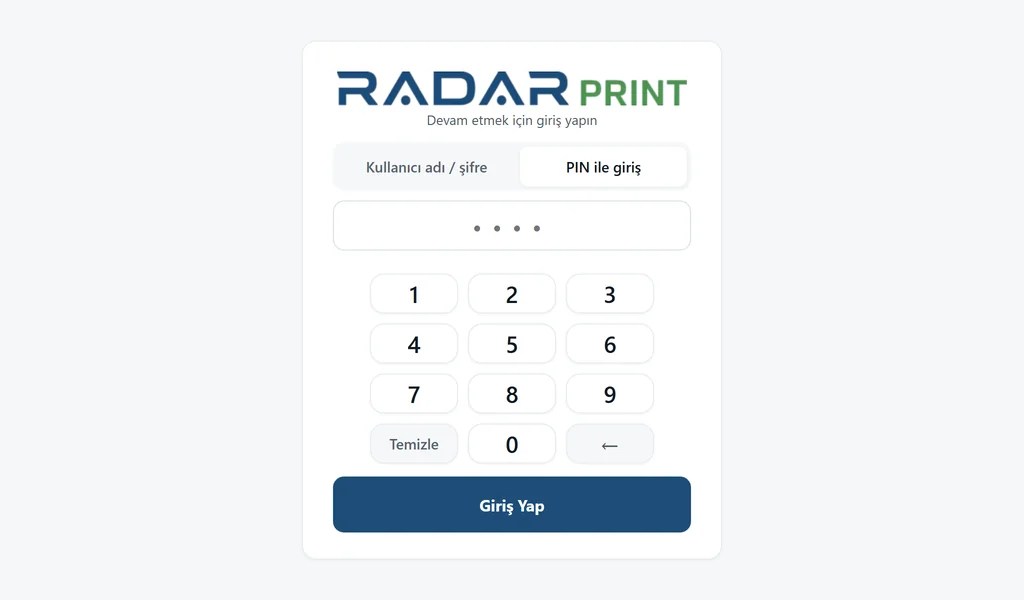
  • 2. Authenticate: the user enters a PIN or taps a card on a compatible device.
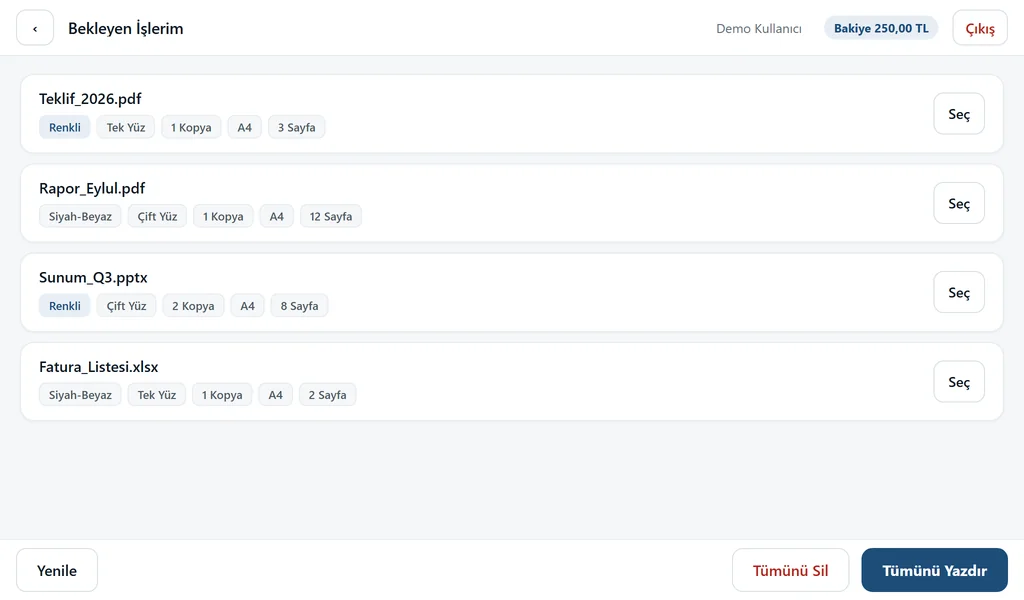
  • 3. Release: pending jobs appear on the device screen; the user prints the selected ones.
  • 4. Report: every job is logged with user, device and cost details.
Nothing prints until you release it
Document security

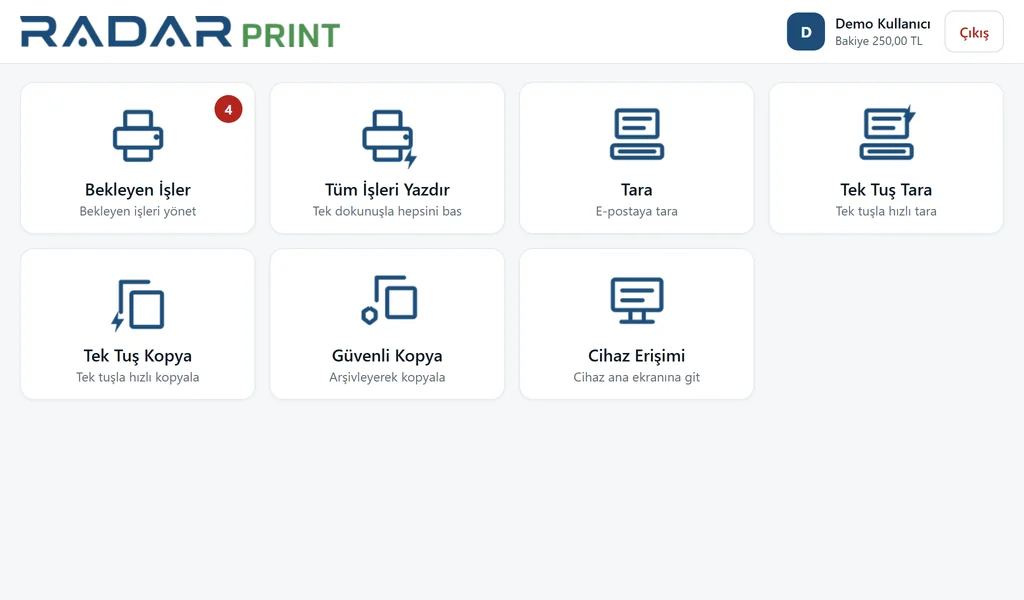
Secure printing at the device

Printouts left sitting on the printer can put confidential documents in the wrong hands. With RadarPrint, a document prints only after its owner authenticates at the device.

  • Sign-in: the user enters a PIN or, on compatible models, taps a card.
  • Main menu: printing, scanning and copying are chosen from a single menu on the multifunction device.
  • Pending jobs: jobs are listed; selected ones print, unwanted ones are deleted without printing.
Secure printing at the device
Management console

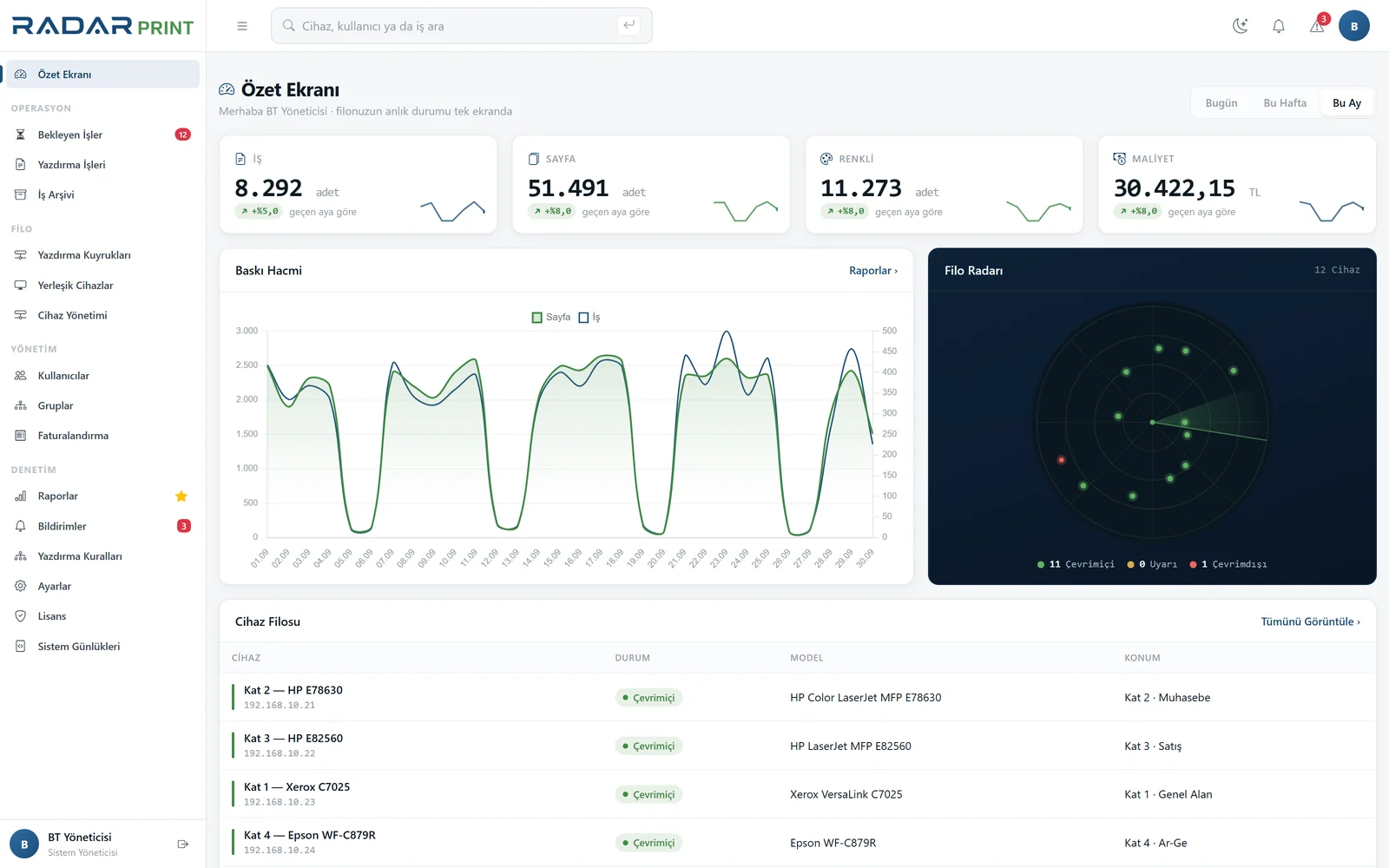
Manage everything from one screen

Using a separate console for each brand adds to the IT team's workload. RadarPrint brings all supported devices together in one web console.

  • Live overview: jobs, pages, color prints and costs summarized daily, weekly and monthly.
  • Fleet radar: online and offline devices at a glance (printer monitoring module).
  • Quick search: find devices, users and printers from a single search box.
Manage everything from one screen
Reporting

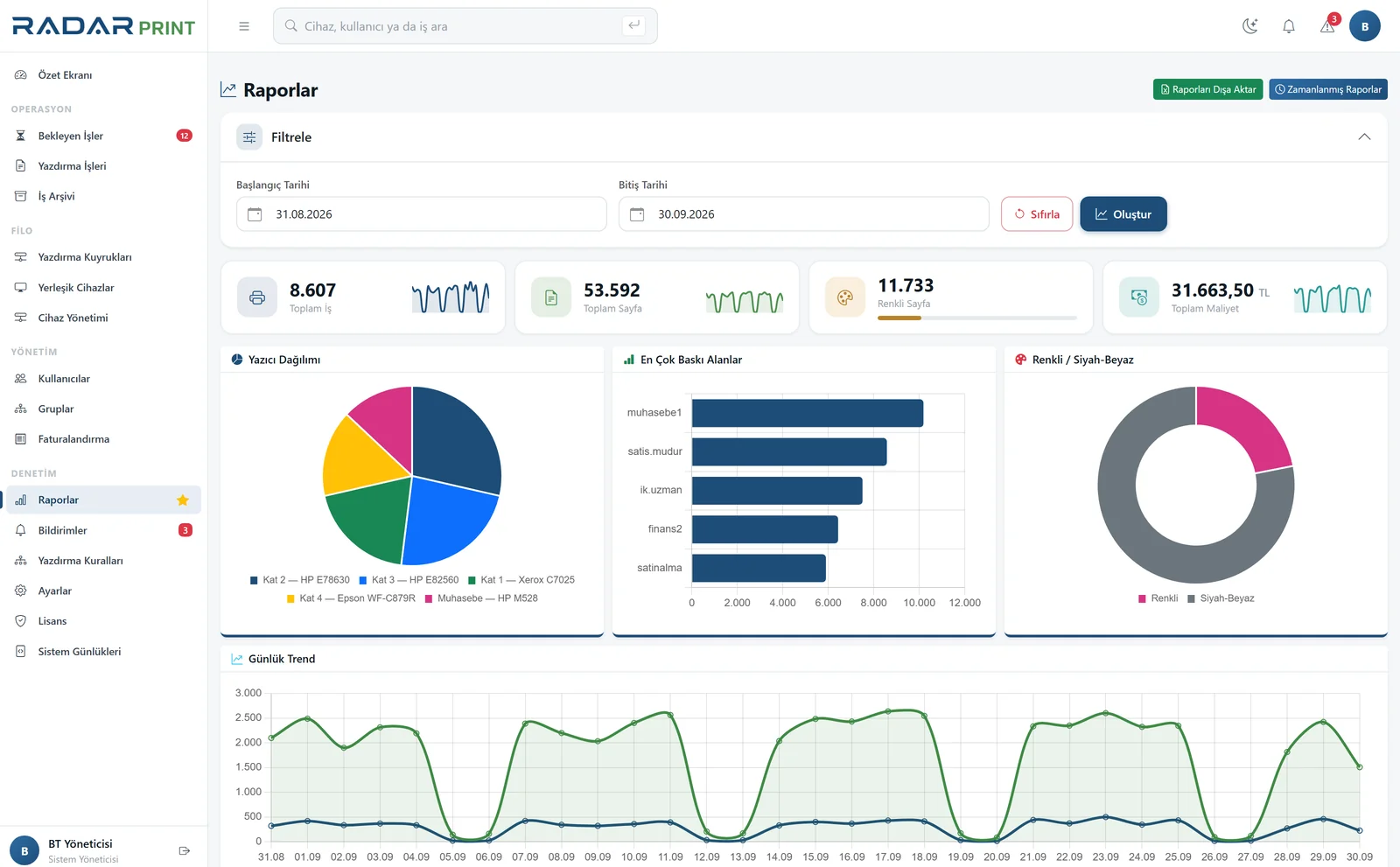
Who printed what, where and how much

Print usage is reported by user and by printer, and reports can be exported to Excel and PDF. Panel scans are logged too.

Who printed what, where and how much
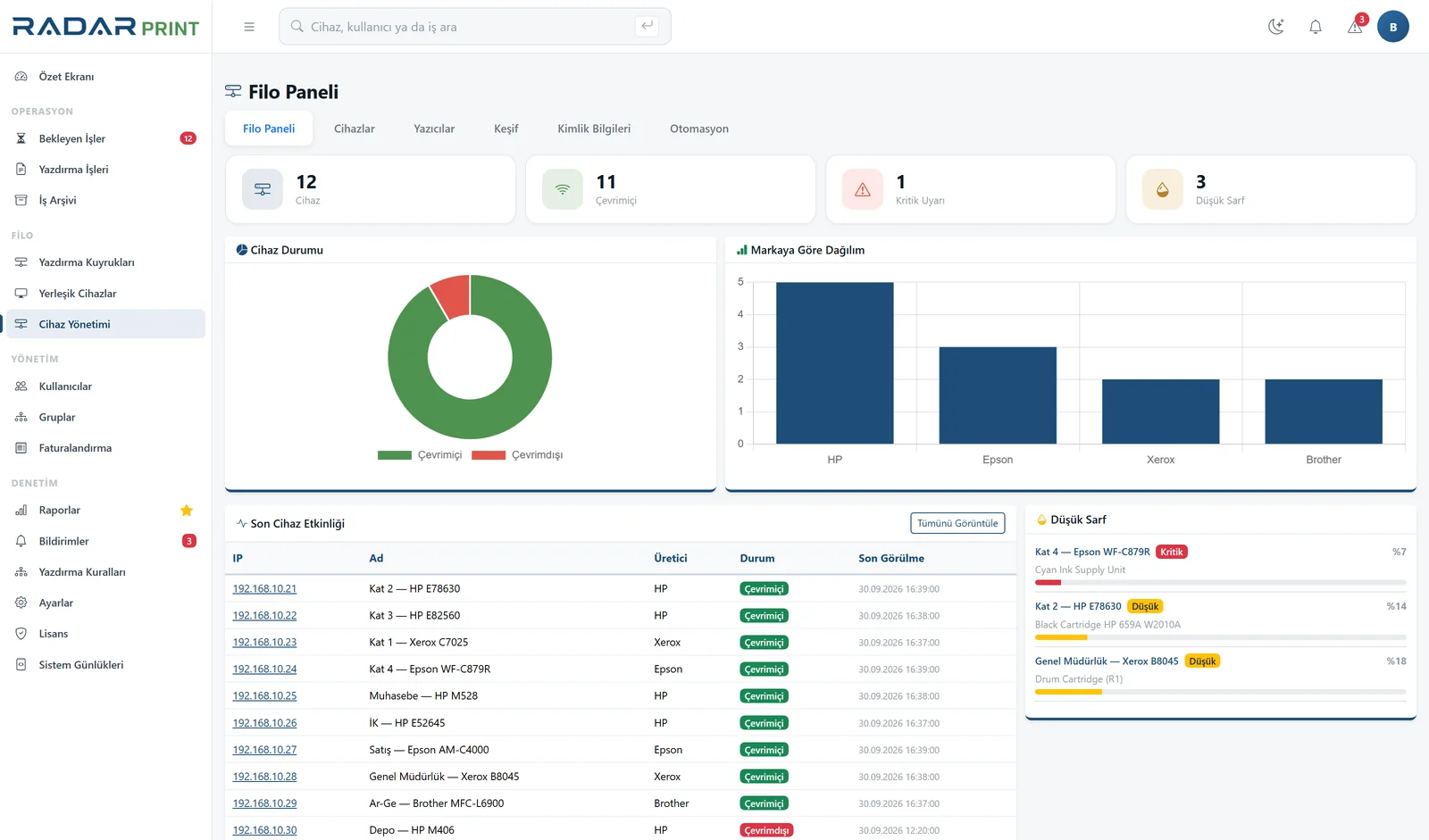
Fleet monitoring

Know about failures before your users do

You shouldn't hear about empty toner or device errors from user complaints. The fleet console tracks device status and supply levels, and sends email alerts when toner runs low or a device goes offline.

Know about failures before your users do
Scanning and archive

Scanning, Turkish-language OCR and digital archive

Documents scanned from a supported device panel are sent to the user's email and saved to the archive. Archive and OCR features are part of the archive module.

  • One-touch scanning: from the device panel to email and the archive.
  • Turkish-language OCR: archived scans are searchable as text; no extra server needed.
  • Digital archive: scans and prints that can be converted to PDF are archived, with full-text search.
Scanning, Turkish-language OCR and digital archive
Project

Deployment process

We plan every step from site survey to go-live together with the Yes Bilişim team.

  • 1. Site survey: devices, servers, users and network are reviewed; compatibility is confirmed.
  • 2. Installation: the server is set up, the license activated and Active Directory users imported.
  • 3. Integration: the panel app is installed on compatible devices and card readers are connected.
  • 4. Pilot: the system is trialed in a selected department; administrators and users are trained.
  • 5. Rollout: the system is opened to the whole organization; support and maintenance begin.

Technical

Infrastructure and integration

RadarPrint runs on your own network; data is stored on your own server.

  • Installation: 64-bit Windows machine, wizard-based setup (version confirmed during the site survey).
  • Environment: no internet connection required; runs on closed networks.
  • Licensing: modular; the panel app is licensed by brand and device count.
  • Database: embedded database, no separate database server required.
  • Directory services: user import from Active Directory.
  • Print paths: virtual printer driver or Windows queue (one is chosen at installation).
  • Device monitoring: printer discovery, status and supply level monitoring via SNMP.
  • Maintenance: web-based management console with backups from the console.

Cost and security

You can't control what you don't measure; RadarPrint logs every job.

Supported brands

HP, Xerox, Epson, Lexmark, Toshiba Panel app: PIN sign-in (card reader depending on model), secure printing, secure copying and scanning from the device screen.
Brother New integration: the panel app is in development; verified on the device before installation.
Canon, Ricoh, Kyocera, Konica Minolta Monitoring support: no panel app; status and supply levels are read via standard SNMP.

Frequently asked questions

Does RadarPrint require an internet connection?
No. It runs on your organization's network and uses no cloud services. The license is activated offline with a file.
Are our devices compatible?
Compatibility is confirmed per device and card reader model during the site survey before installation.
Do we need a separate database or OCR server?
No. RadarPrint comes with an embedded database, and Turkish-language OCR is included in the archive module.
How is it licensed?
Modularly. The panel app is licensed by brand and device count, and can be expanded as your needs grow.
Our other products