
If your fleet includes several brands, you don't need a separate application for each. PFM supports all brands and collects data via SNMP.
 PFM
PFM (Print Fleet Manager) finds printers on your network, tracks meters and supplies, and sends orders and reports for you. Available in cloud, on-premise and desktop editions.

printers monitored by PFM
If your fleet includes several brands, you don't need a separate application for each. PFM supports all brands and collects data via SNMP.
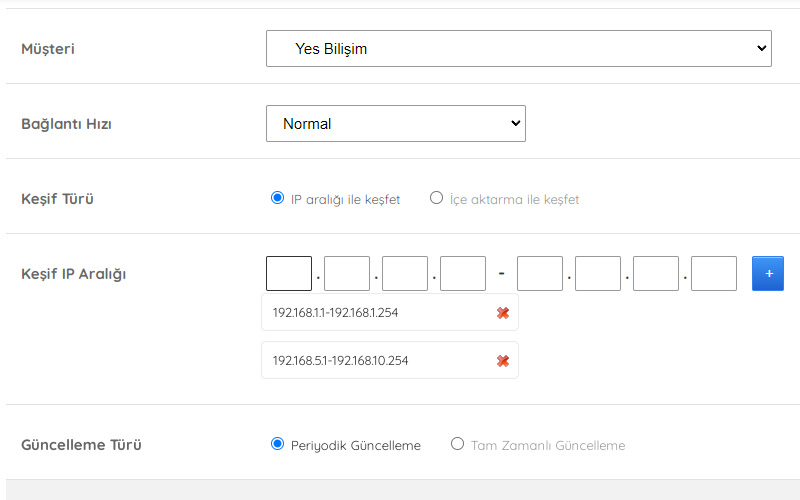
PFM regularly scans the IP ranges you enter and adds newly installed printers on its own. It doesn't lose a printer whose IP address changes; it keeps tracking it at the new address.
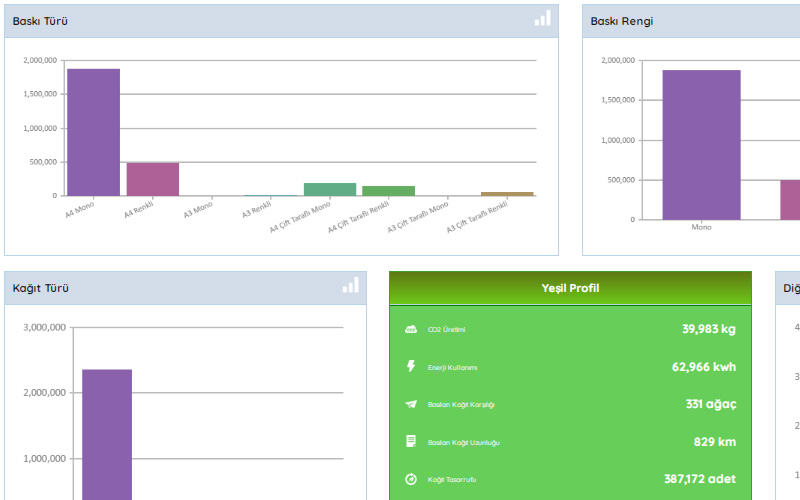
See A3, A4, color and black-and-white print counts per printer. Copy and scan counts can be added too.
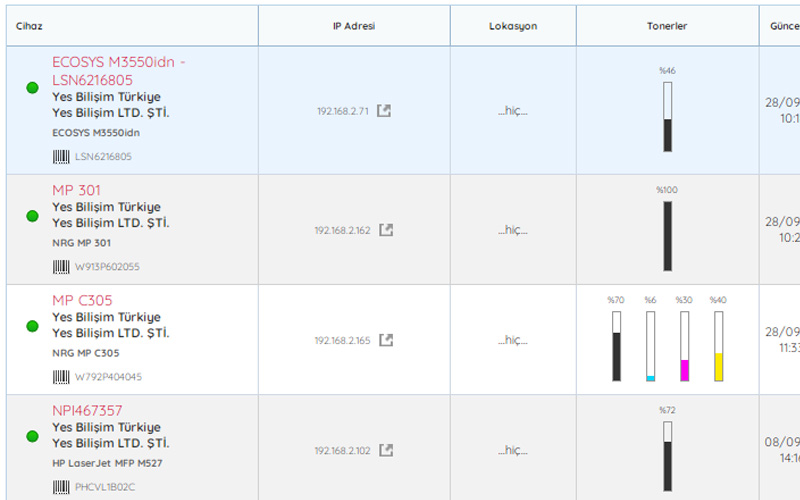
Create alert reports for supplies at whatever percentages you choose. Every day at the time you set, PFM reports the toner and supplies that need to be ordered, without repeats. Supplies removed from and installed in printers are logged as well.
You can set the order percentage separately per customer and per printer. Track a high-volume printer at a higher percentage and a low-volume one at a lower percentage.
Edit report content as you like and export it. Using all report filters, create scheduled notifications on a daily or monthly basis, as total pages printed or device totals; reports arrive by email at the intervals you set.
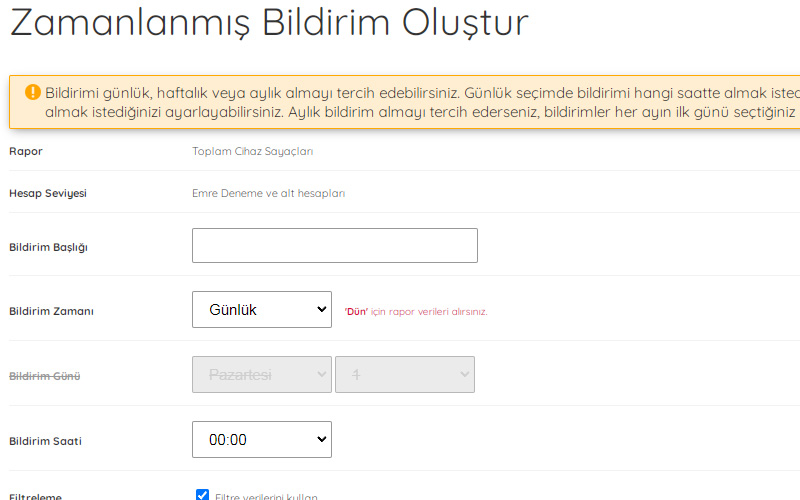
Add your dealers and open sub-accounts for them. Each dealer tracks only their own printers.
Define locations in full detail and have printers assigned to them automatically. Related orders can be sent to the people responsible for each location. When an IP address changes, PFM updates location tracking on its own.
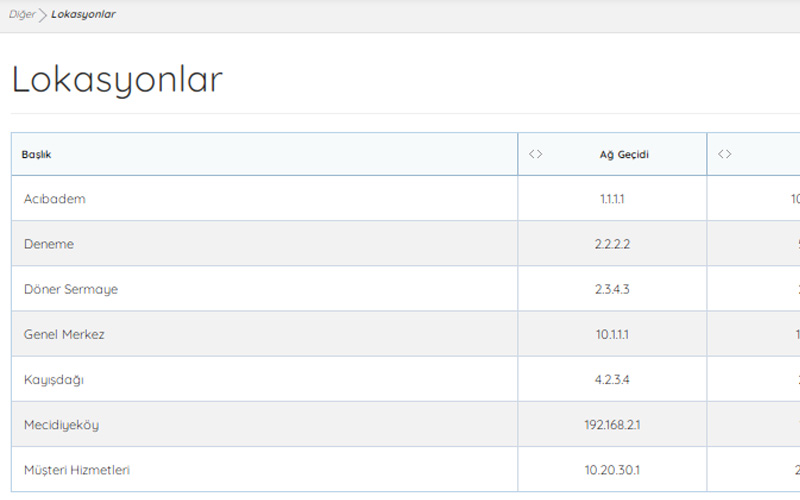
The main things you can track across your printer fleet with PFM.
 PFM Cloud
Cloud-based printer fleet management. Access your devices from anywhere with internet.
 PFM Connect
An on-premise edition with all PFM Cloud features and more.
 PFM System
A full-featured desktop edition for low-resource Windows environments.